2026-09-25
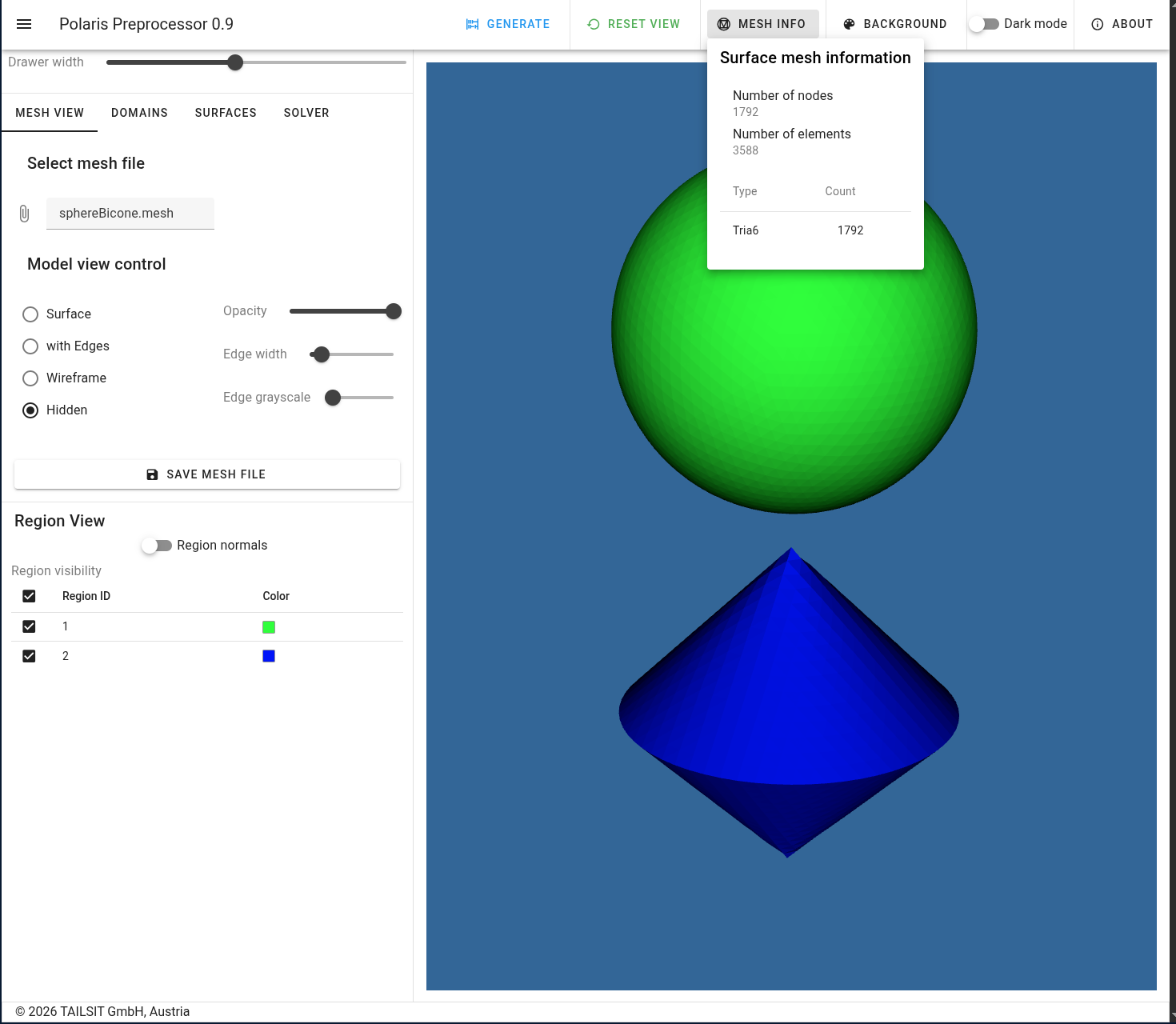
In this tutorial, the aim is to set up the model and settings file in order to generate the input for POLARIS. The model analysed here is discussed in Sphere and Bicone.
To begin with, we open https://www.tailsit.com/polaris_preprocessor
and load sphereBicone.mesh under
Select mesh file from the
share/examples/sphereBicone folder. One should obtain the
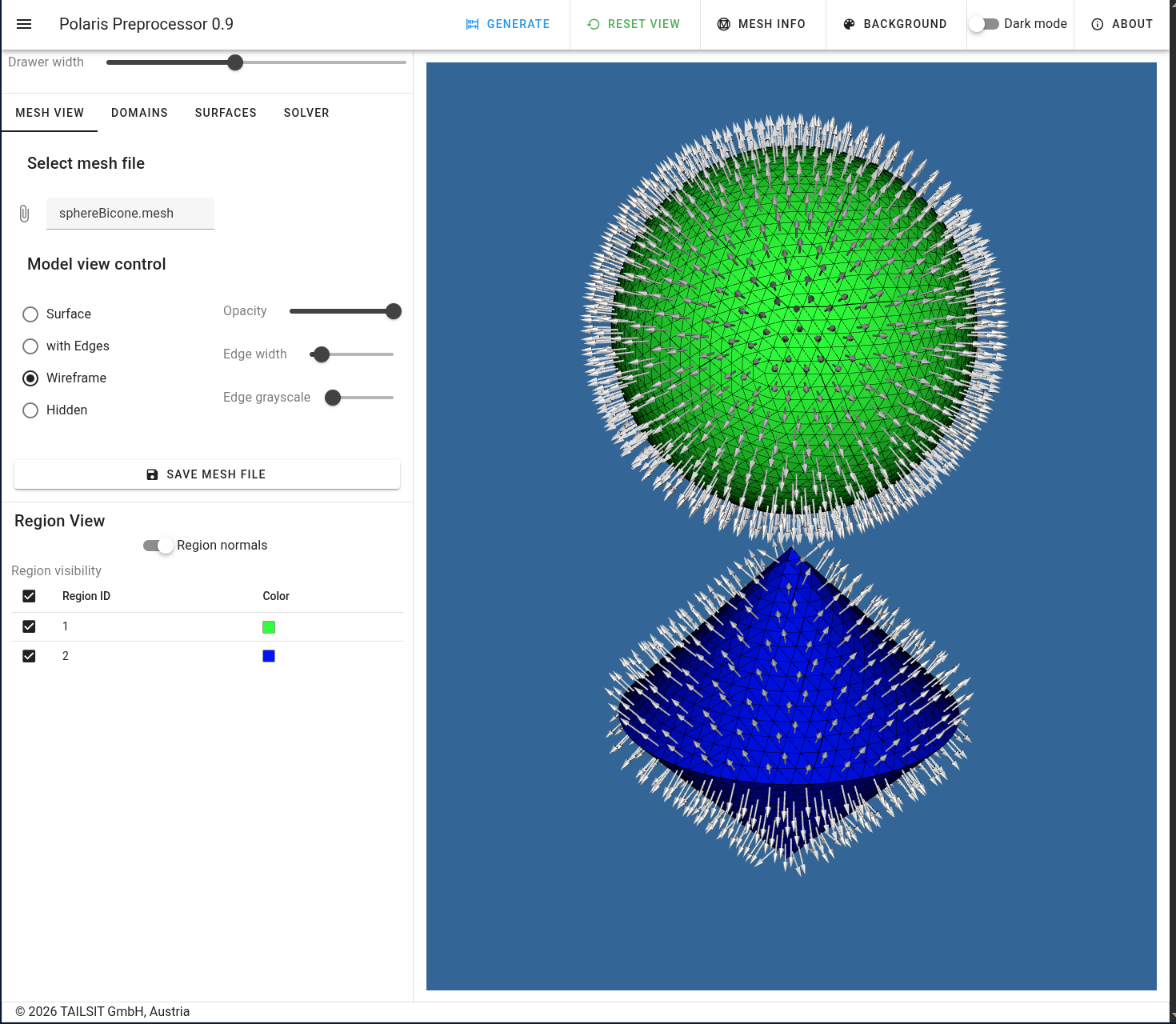
following views
|
|---|
| View of imported mesh and element count |
 |
|---|
| View with wireframe and normals |
Note that after loading the file, it is often needed to press
Reset View in the top of the window first in order to see
the entire model.
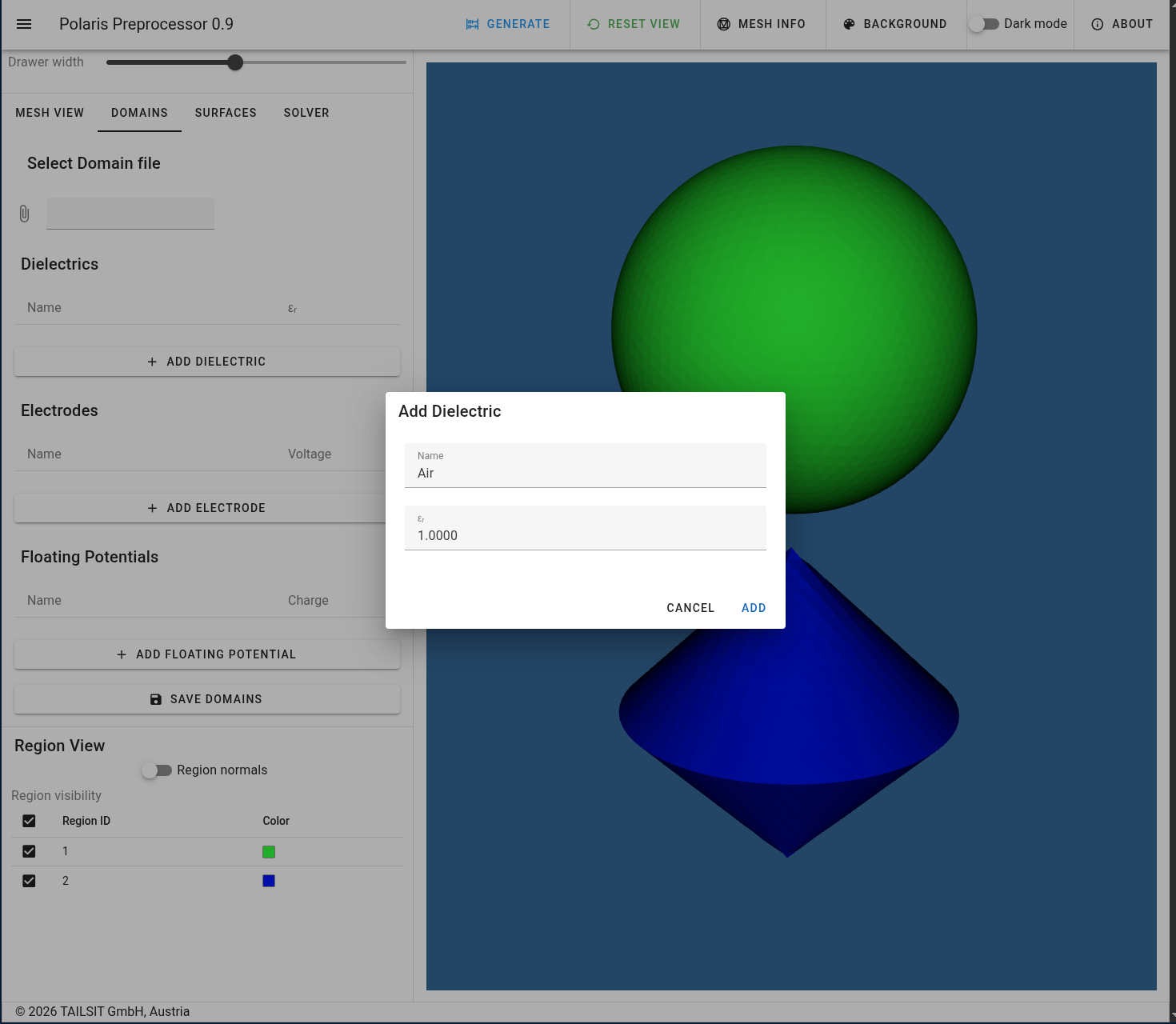
In a first step, one has to define all the physical domains. Here, the sphere is an electrode with prescribed voltage, the bicone a free or floating potential with prescribed charge and surrounded by air. First, we define the air region as a dielectric domain.
 |
|---|
| Air region |
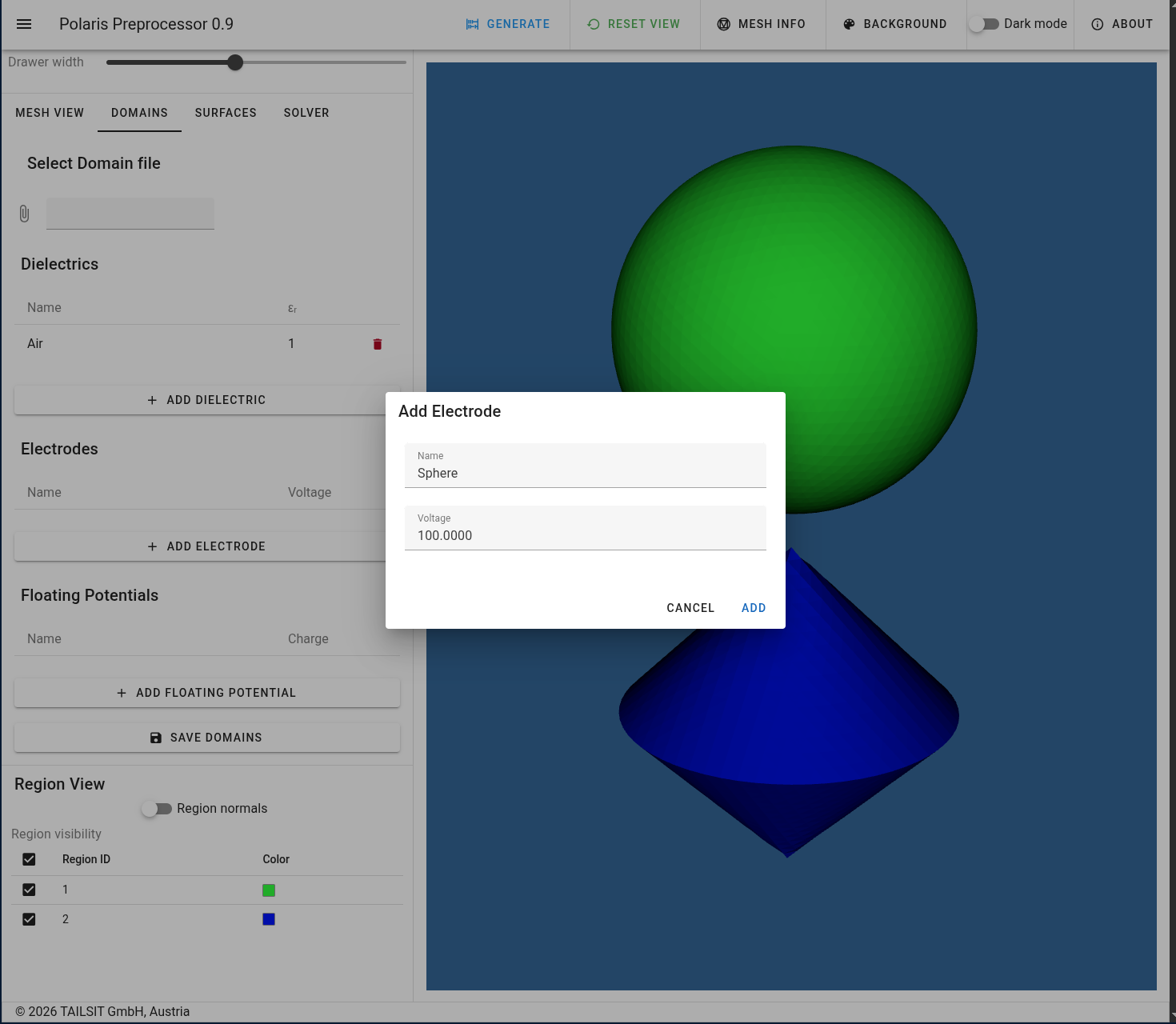
Then, the electrode is specified with \(100\,kV\) as prescribed potential.
 |
|---|
| Sphere as electrode |
And, finally, the bicone is a floating potential without charge.
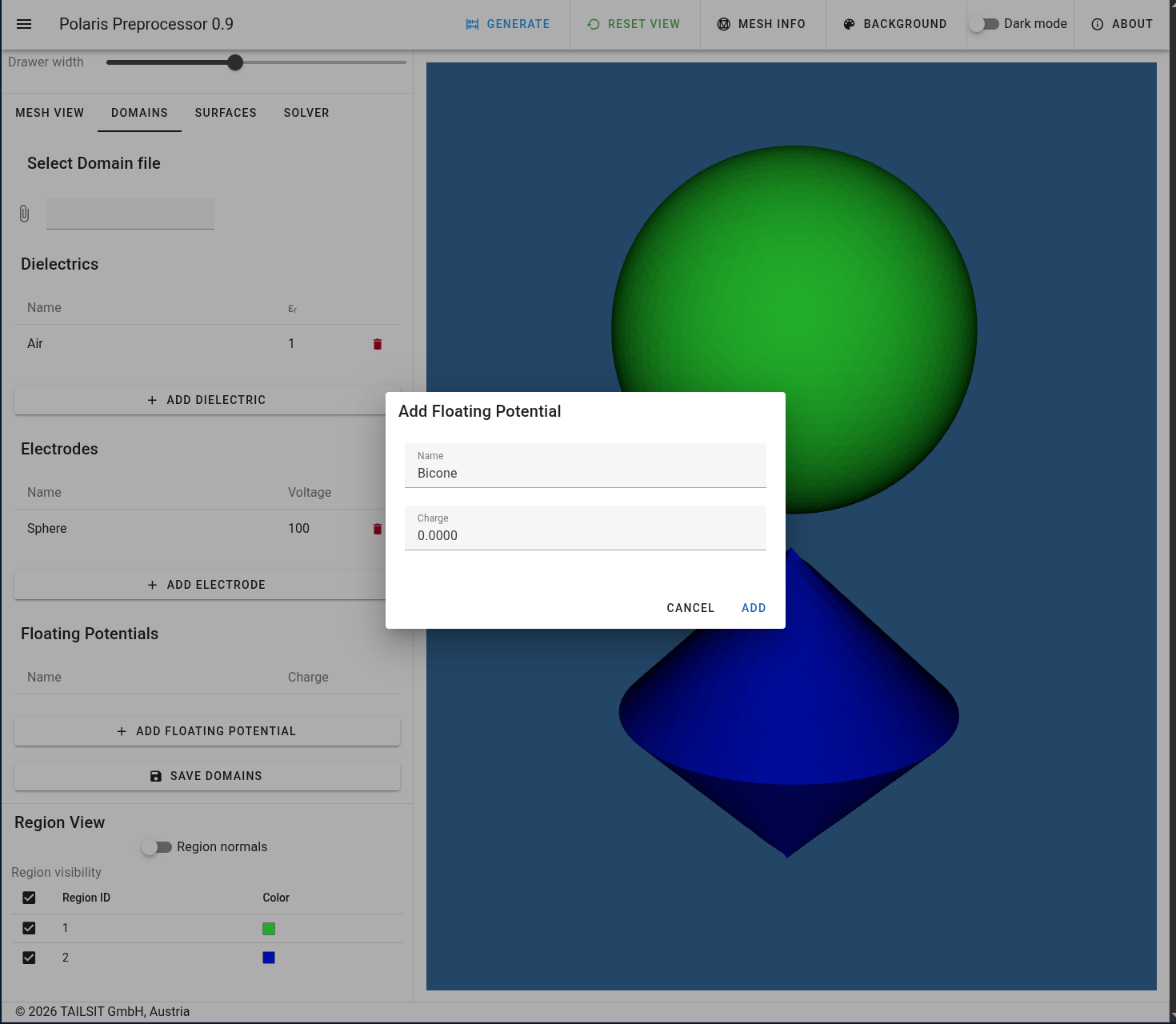 |
|---|
| Bicone as free or floating potential |
Once declared, the domains can be stored in a JSON file,
see Sphere and Bicone -
domains.
The crucial step is now to specify all the surface regions found in the initial mesh file. Here, the logic is to choose which region is on the in- and on the outside of each surface. The displayed normal vectors point from the in- to the outside!
In the given case, both surfaces have nothing on their inside parts
that contributes to the problem and, therefore, it is set to
Void. The outside of both regions is obviously
Air. Finally, one has to decide whether a surface itself is
an interface between two materials are assigned to an electrode or
floating potential. Here, the choice is obvious and the following
setting is made.
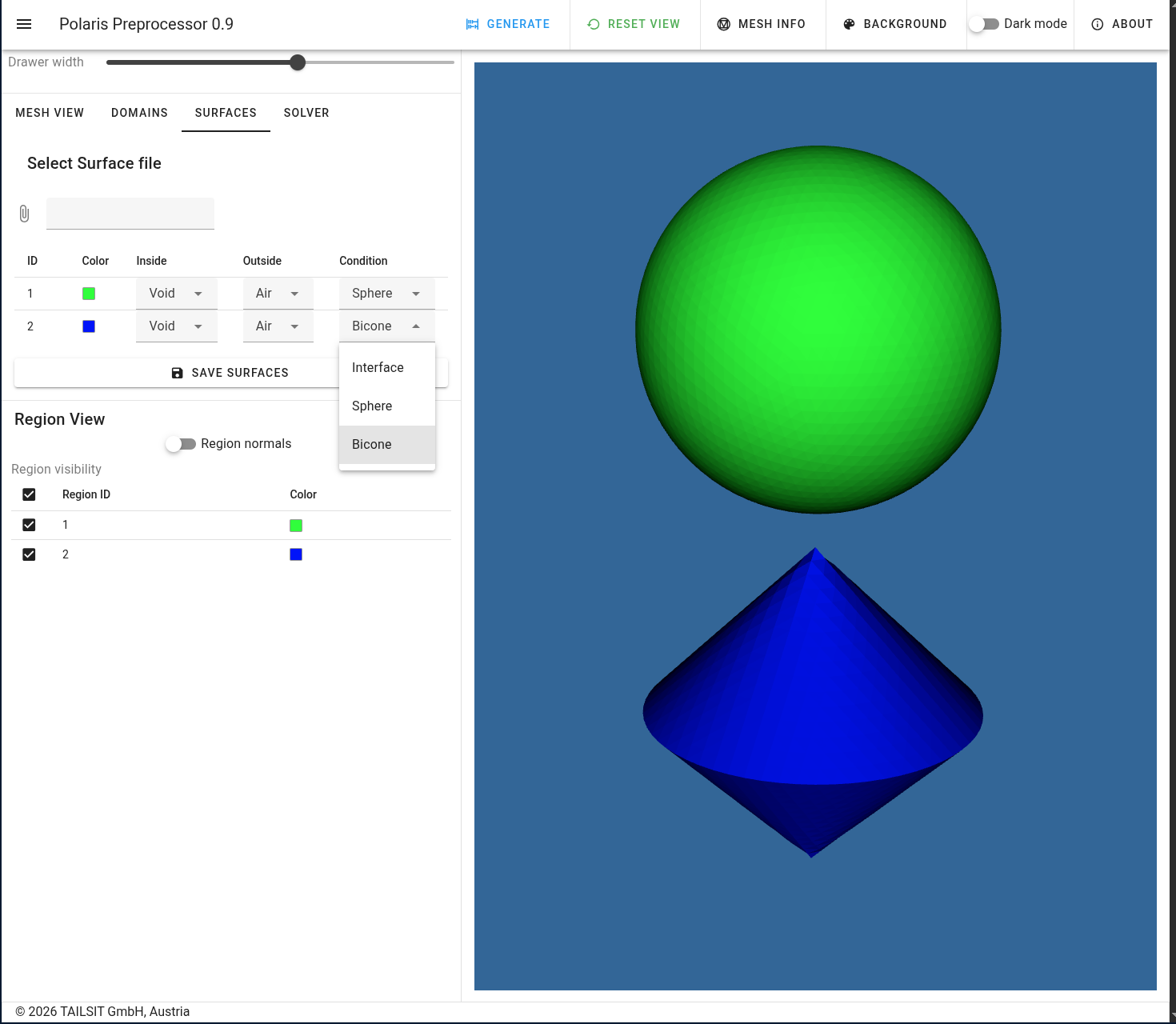 |
|---|
| Surface declarations |
As in the Domains case, the surface constellation can be stored in a
JSON file, see Sphere and Bicone - surfaces
The last settings are related to the parameters of the Fast Multipole
Method (FMM), the Boundary Element Method (BEM) quadrature, the tuning
of the GMRES solver and the number of computational threads. Note that
numThreads: 0 implies that all available threads per
process will be used. The default settings are displayed below.
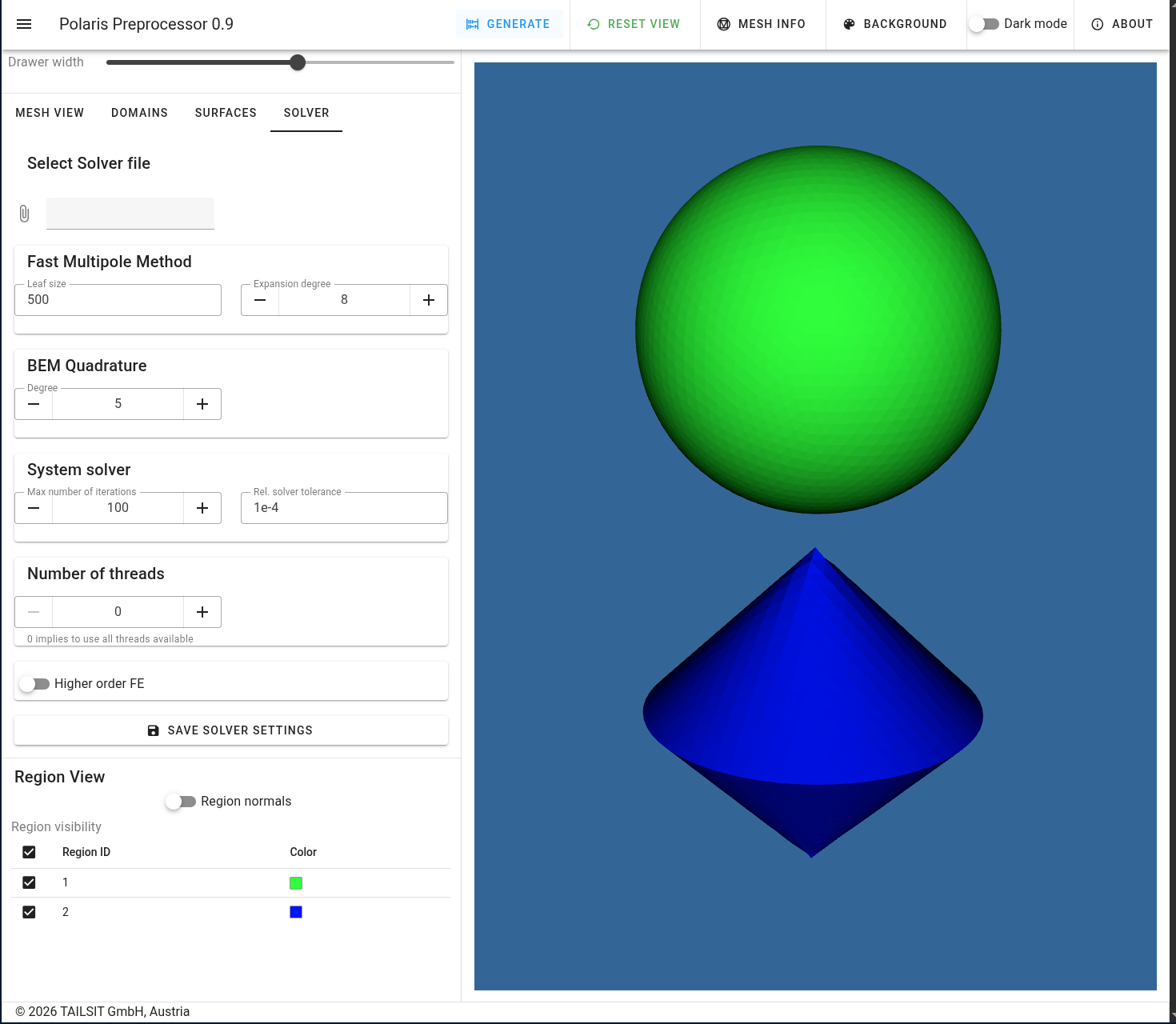 |
|---|
| Solver settings |
Again, these settings can be stored in a JSON file, see
Sphere and Bicone - solver.
The final step is to press Generate button in the top
part of the window. This generates a settings.yaml file
which, together with the mesh file, allows for a run of the
polaris executable. Note, that one can also edit or
manually generate the above mentioned JSON files and load
them into the respective positions in the UI.