2026-09-25
In this tutorial, the aim is to set up the model and settings file in order to generate the input for POLARIS. The model analysed here is discussed in High-voltage bushing.
Open the preprocessor
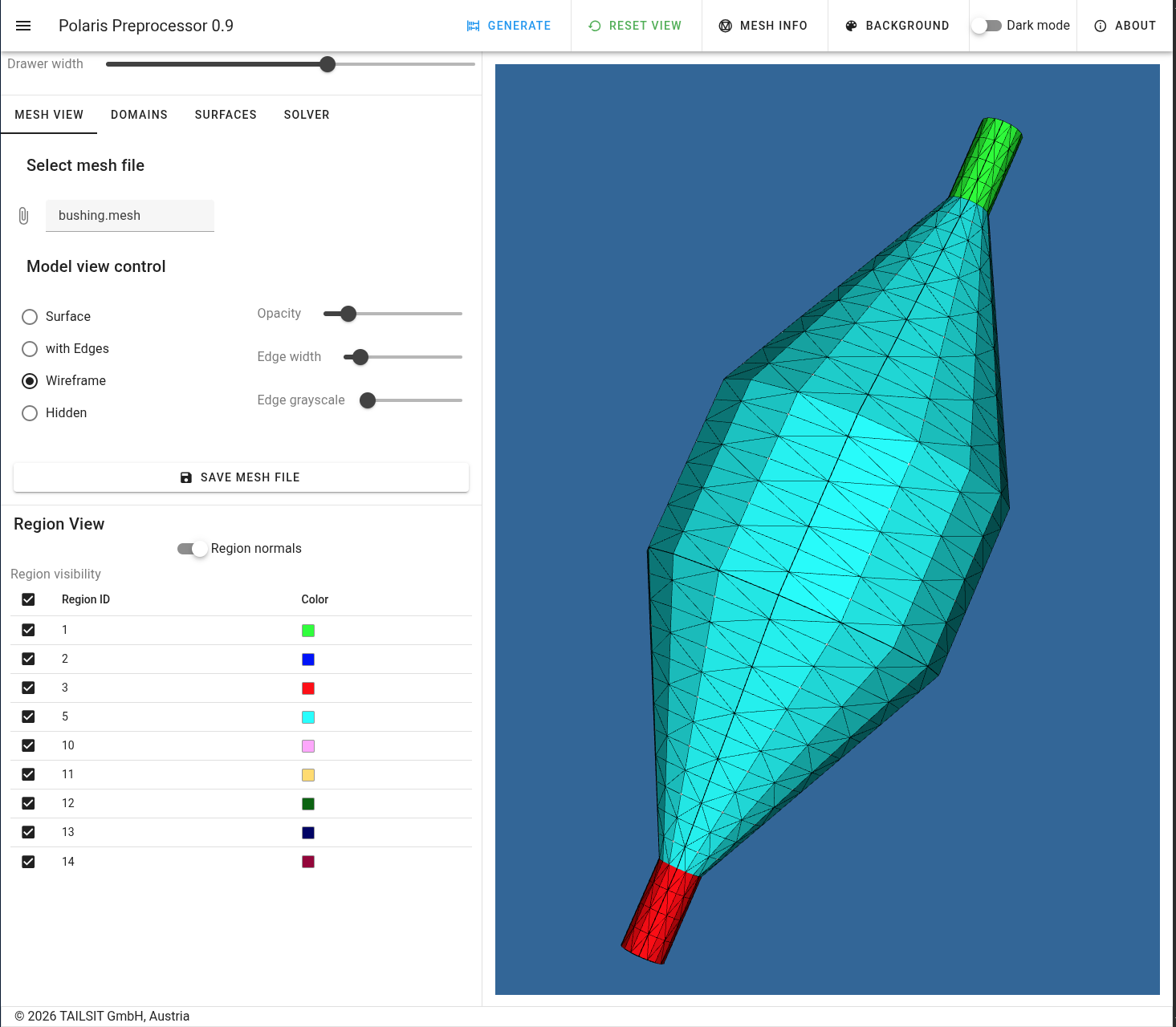
and import the file bushing.mesh from
share/examples/bushing to obtain the following view.
|
|---|
| View of the model |
The model consists of 2 electrodes (the cable surface and an embedded sheet is ground), 2 dielectric materials (air and the insulating material) and 4 embedded conducting sheets. These have to be defined in the Domains tab of the UI as in the following image.
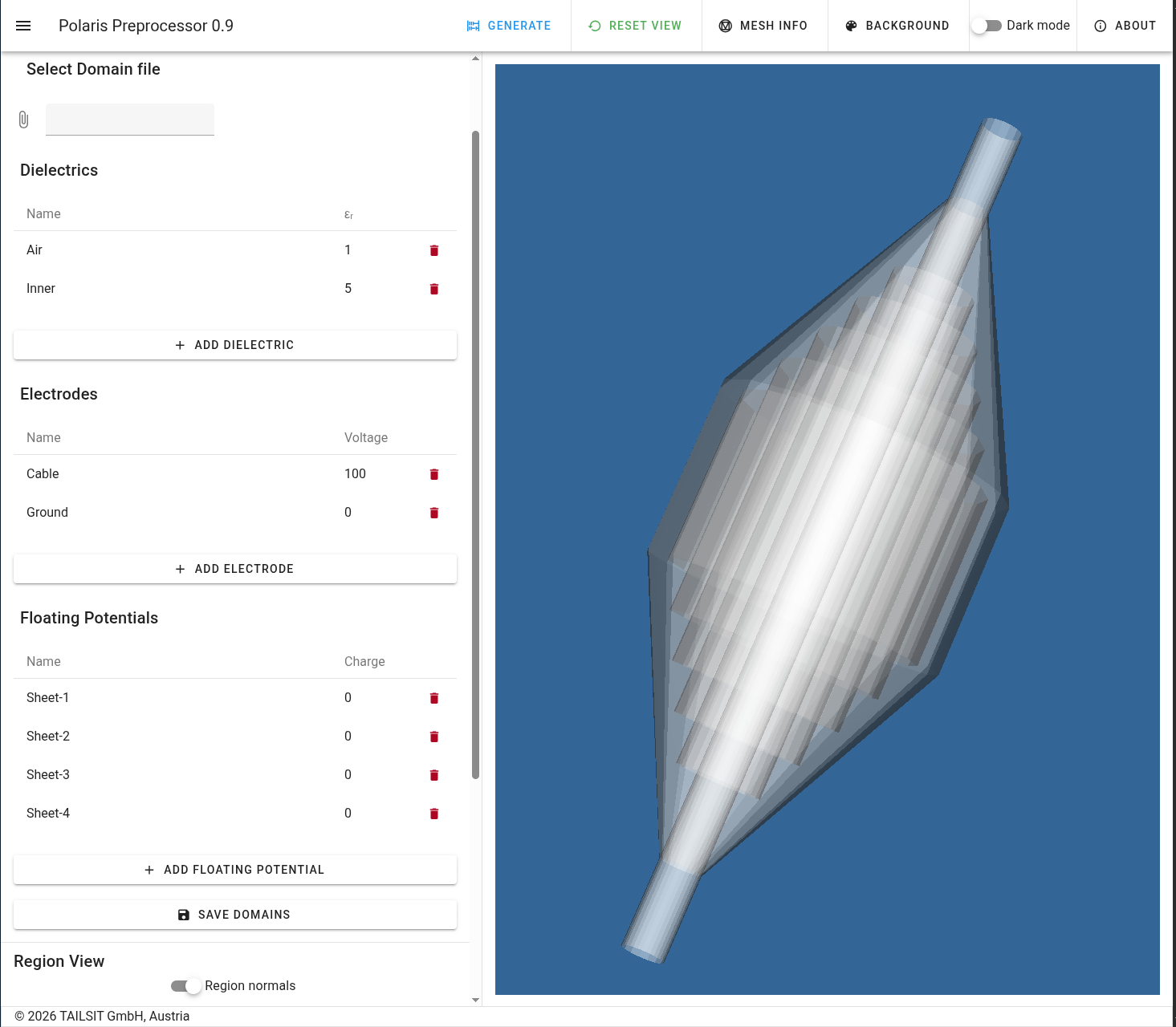 |
|---|
| Electric domains of the bushing |
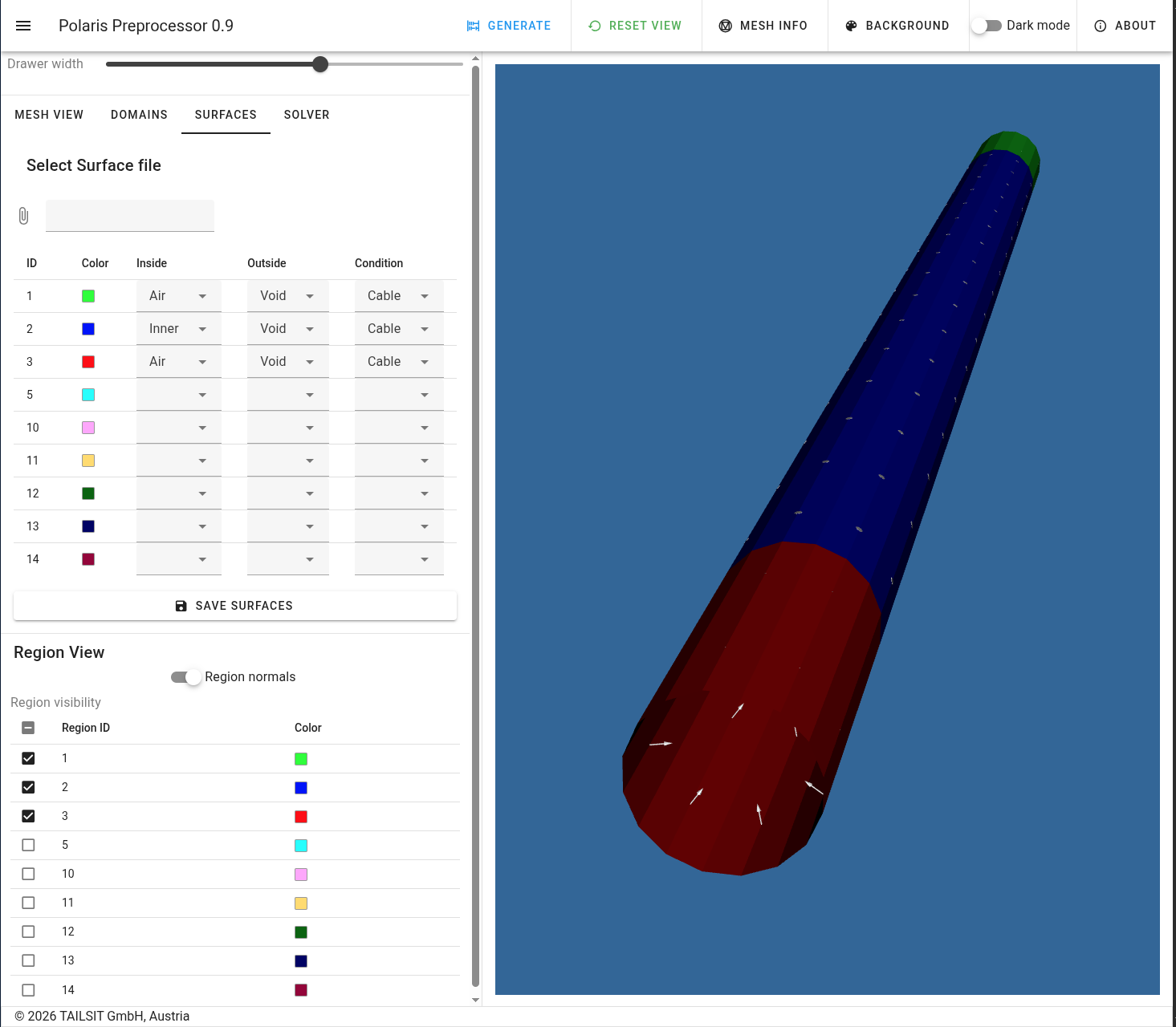
Next, one has to define the in- and out-side domains of each surface
and the surface condition. The cable electrode consists of 3 surface
regions. Here, one assumes that the cable is infinitely long and filled
with a conductor. To this end, all these surfaces shall have
Void at their outside (the side to which the normal vectors
point).
 |
|---|
| Cable surfaces |
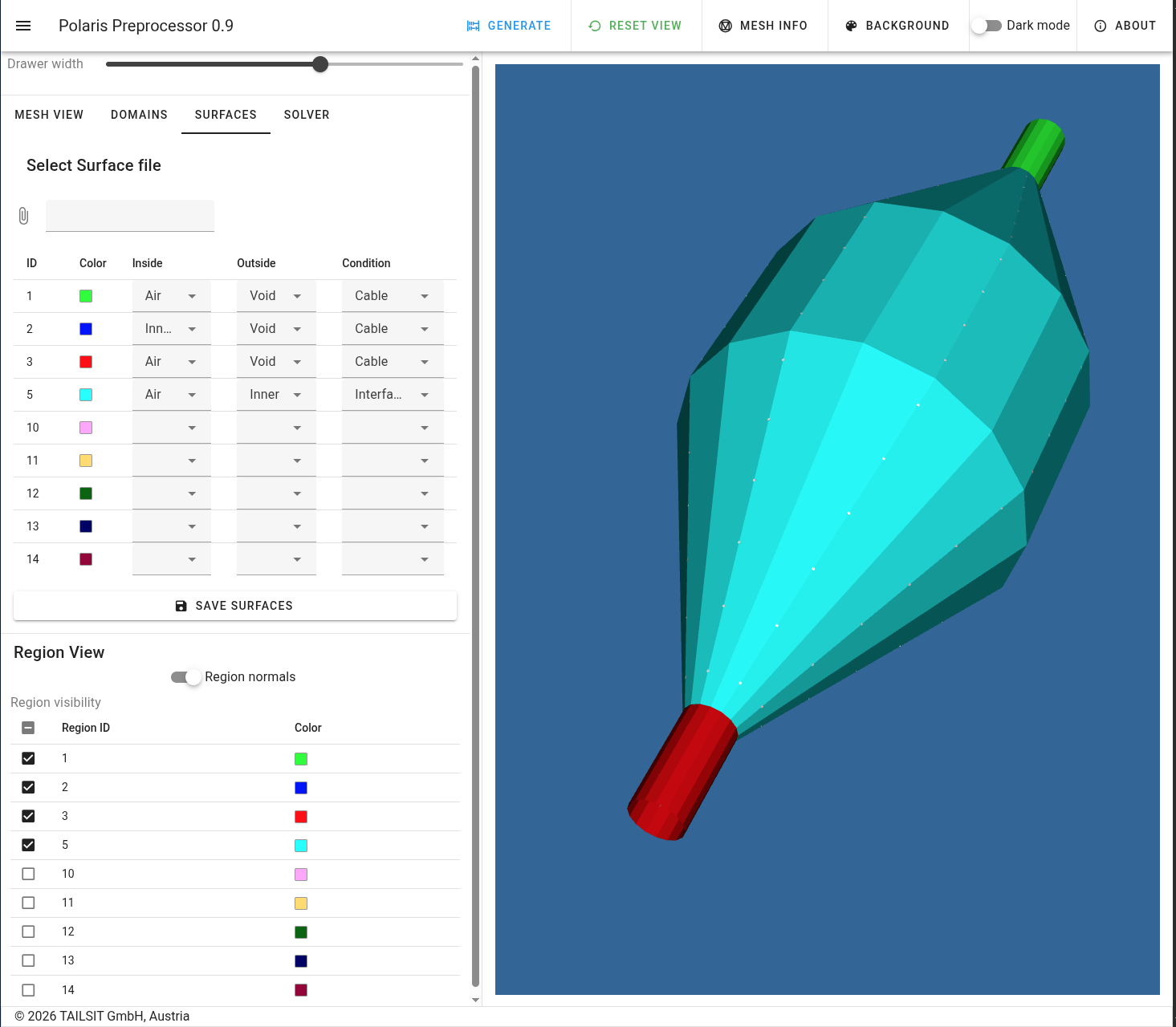
The insulator is surrounded by the outer surface which forms an interface to the air.
 |
|---|
| Outer surface of insulator |
The four conducting sheets are fully embedded and thus have the filling material on both sides. They are assigned to the four floating potentials defined among the domains.
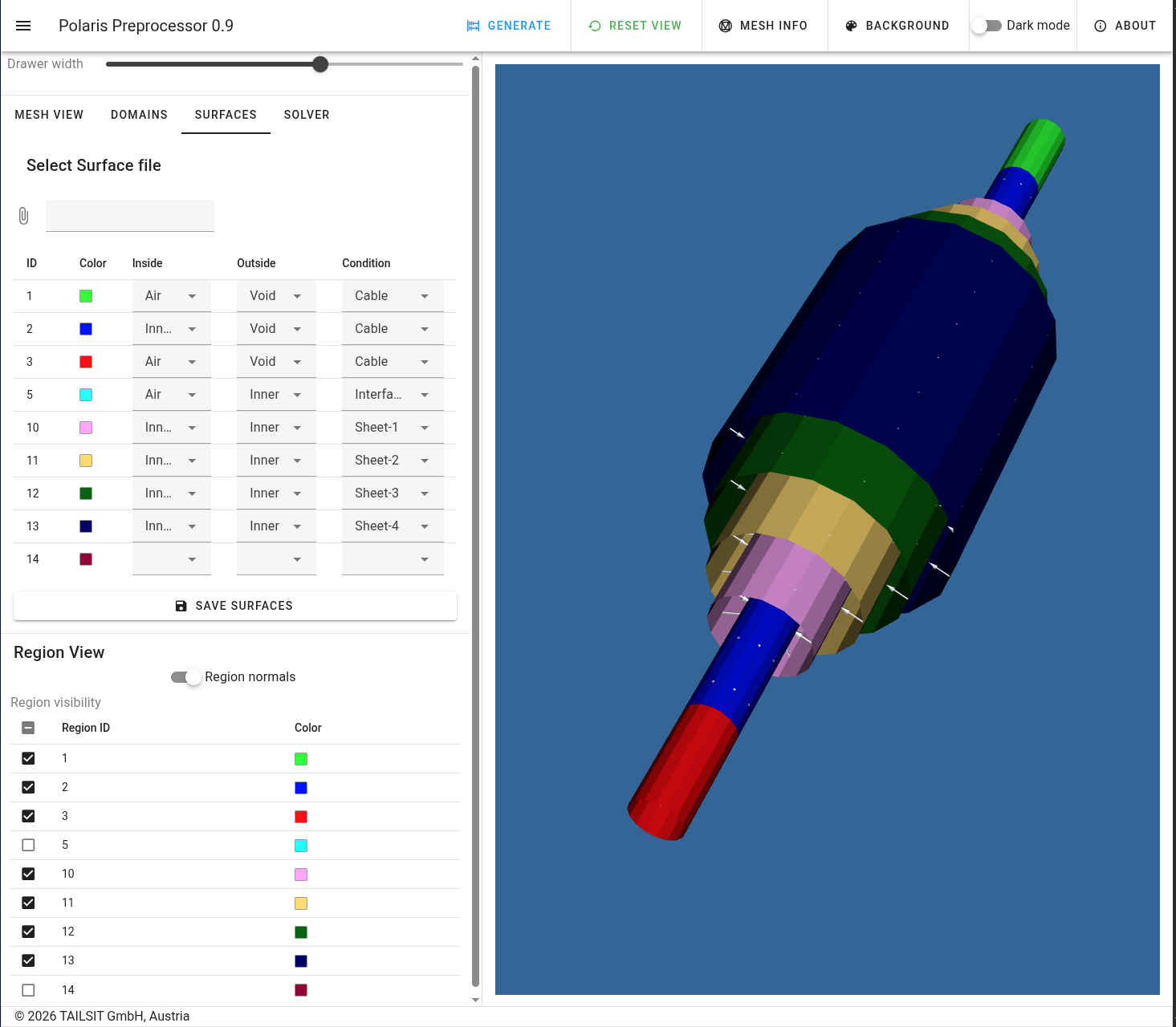 |
|---|
| Embedded conducting sheets |
Finally, one has to define the outermost embedded sheet. Again, it is completely surrounded by the insulating material. It is assigned to the ground electrode.
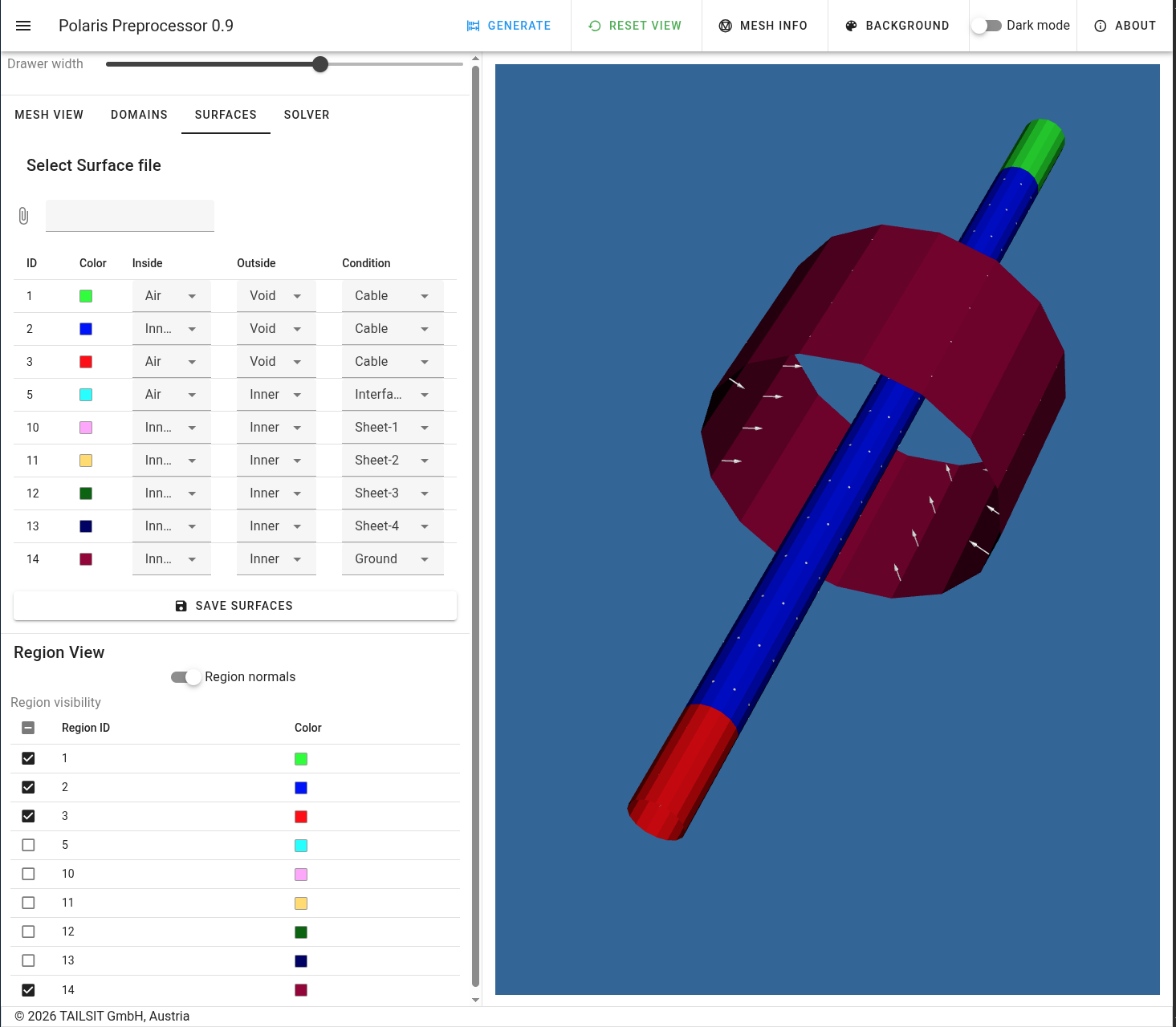 |
|---|
| Ground electrode |
The solver settings are the same as in Sphere and Bicone.